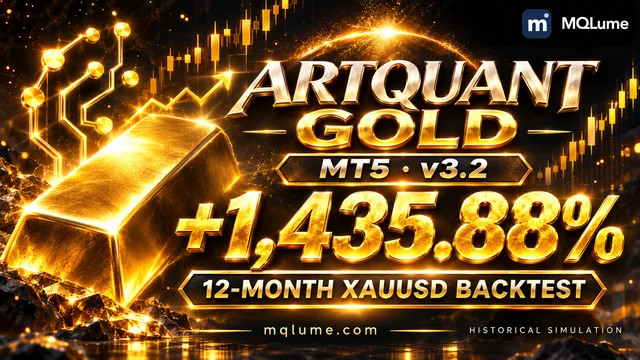
ArtQuant Gold [MQLume] 3.2: +1,435.88% | XAUUSD · 12-month backtest
Return, drawdown, monthly results and selected settings for ArtQuant Gold [MQLume] 3.2.
Return, drawdown, monthly results and selected settings for ArtQuant Gold [MQLume] 3.2.
Ready-to-run EX5, with the freedom to use it personally.
Install the compiled EX5 in desktop MetaTrader 5. No separate MQH or DLL downloads and no MetaEditor compilation are needed.
Use it on your own computers and trading accounts, without MQLume device binding, account activation limits or usage-count limits.
A one-time purchase for personal use. MQLume charges no recurring licence, activation or per-use fees.
Overview
Run the compiled program in MT5 and adjust its available inputs. Follow the included guide for the strategy’s symbols, timeframes and settings; editable MQ5 source is a separate edition.
A configurable portfolio of 20 gold modules combines grid additions, virtual cycle exits and exposure controls.
Trading setup
Adjust the available inputs. Default cycles have no broker-side stop loss: keep the EA running for virtual exits, and account for increasing grid exposure. Use presets 01–07 or a valid Custom portfolio; 08–10 are reserved. Pausing stops new cycles only; keep the magic number unchanged while positions remain, and note that reinitialisation resets runtime protection locks. News filtering is bypassed in the tester, and missing live calendar data does not block entries; the six-tab panel is disabled by default.
These are marketplace specifications, not a guarantee of suitable capital or performance.
Your next build starts here.
Includes the compiled EX5 program, installation guide and parameter documentation. Editable MQ5 source is available separately.
Fast, automatic delivery after payment confirmation. No waiting for manual dispatch.
Personal use · One-time paymentAdjust the available inputs.
Parameters
Installation guide
Start in Strategy Tester with the intended symbol, timeframe and inputs, then check behaviour on a demo account. Product research and historical results are reference material, not a guarantee of this setup or future returns.
EA only · EX5 · v3.2
Adjust the available inputs.
Read PARAMETERS.pdf alongside README.txt for the meaning, defaults and operating notes behind the short input labels.
How to read EA parametersAdjust the available inputs.
| Parameters | Initial value |
|---|---|
NameInpNoteName | Display text |
OverviewInpNoteOverview | Display text |
WebsiteInpNoteWebsite | Display text |
Risk noteInpNoteRisk | Display text |
Adjust the available inputs.
| Parameters | Initial value |
|---|---|
Start pausedInpPause | SWITCH_OFF |
Show control panelInpPanel | SWITCH_OFF |
Panel themeInpPanelTheme | Windows 3.1 ClassicPANEL_THEME_WIN31_CLASSIC |
Magic number; keep unchanged with open cyclesInpMagicNumber | 1234 |
Max entry spread [points]InpSpread | 50 |
Max execution slippage [points]InpSlippage | 50 |
Push notifications on cycle closuresInpMQID | SWITCH_OFF |
Adjust the available inputs.
| Parameters | Initial value |
|---|---|
Portfolio presetInpSets | Preset 01 - IC MarketsSETS_PROFILE_01 |
Trade direction filterInpTradeDirection | Buy and Sell modulesTRADE_DIRECTION_BOTH |
Custom modules, comma-separated; empty = use switchesInpCustomPortfolioMap | "" |
Max simultaneous modules; 0 = no limitInpMaxActiveModules | 1 |
Adjust the available inputs.
| Parameters | Initial value |
|---|---|
M01 BUY moduleInpModule01 | SWITCH_OFF |
M02 BUY moduleInpModule02 | SWITCH_OFF |
M03 BUY moduleInpModule03 | SWITCH_OFF |
M04 BUY moduleInpModule04 | SWITCH_OFF |
M05 BUY moduleInpModule05 | SWITCH_OFF |
M06 BUY moduleInpModule06 | SWITCH_OFF |
M07 BUY moduleInpModule07 | SWITCH_OFF |
M08 BUY moduleInpModule08 | SWITCH_OFF |
M09 BUY moduleInpModule09 | SWITCH_OFF |
M10 BUY moduleInpModule10 | SWITCH_OFF |
M11 SELL moduleInpModule11 | SWITCH_OFF |
M12 SELL moduleInpModule12 | SWITCH_OFF |
M13 SELL moduleInpModule13 | SWITCH_OFF |
M14 SELL moduleInpModule14 | SWITCH_OFF |
M15 SELL moduleInpModule15 | SWITCH_OFF |
M16 SELL moduleInpModule16 | SWITCH_OFF |
M17 SELL moduleInpModule17 | SWITCH_OFF |
M18 SELL moduleInpModule18 | SWITCH_OFF |
M19 SELL moduleInpModule19 | SWITCH_OFF |
M20 SELL moduleInpModule20 | SWITCH_OFF |
Adjust the available inputs.
| Parameters | Initial value |
|---|---|
Base lot per moduleInpLots | 0.01 |
Balance step for lot scaling; 0 = fixed lotInpBalanceStep | 1000.0 |
Max total EA exposure; 0 = no capInpMaxTotalLots | 0.0 |
Max exposure per module; 0 = no capInpMaxModuleLots | 0.0 |
Adjust the available inputs.
| Parameters | Initial value |
|---|---|
Drawdown protection modeInpDDMode | OffDD_MODE_OFF |
Protection limit [% or account currency]InpDDValue | 0.0 |
Daily EA loss limit [%]; 0 = offInpDailyLossLimitPct | 0.0 |
Floating loss limit [%]; 0 = offInpFloatingLossLimitPct | 0.0 |
Max orders per cycle; 0 = unlimitedInpOrdersMax | 0 |
Cycle Guard: avoid non-forced negative closureInpBlockNegativeCycleClosure | EnabledSWITCH_ON |
Simulate withdrawalsInpWithdrawals | SWITCH_OFF |
Withdrawal amountInpWithdrawalsValue | 1.0 |
Adjust the available inputs.
| Parameters | Initial value |
|---|---|
Block new cycles on FridaysInpTradingFriday | SWITCH_OFF |
Block new cycles on first FridayInpTradingNFP | SWITCH_OFF |
Friday close policyInpFridayMode | OffFRIDAY_OFF |
Friday close hourInpFridayHour | 22:00HOURS_22 |
USD calendar news filterInpNewsFilter | SWITCH_OFF |
USD news impactInpNewsImpact | High impact onlyNEWS_HIGH |
News block before event [minutes]InpNewsMinutesBefore | 60 |
News block after event [minutes]InpNewsMinutesAfter | 60 |
Holiday break filterInpXmas | SWITCH_OFF |
Holiday start day in DecemberInpXmasDecDay | 20 |
Holiday end day in JanuaryInpXmasJanDay | 10 |
Adjust the available inputs.
| Parameters | Initial value |
|---|---|
Order comment display; execution always uses @MQLumeInpOrderComment | Display text |
Support after delivery
While the product is actively maintained, we investigate and fix reproducible defects in the delivered, unmodified code that conflict with the product description.
Support: while the product is actively maintainedSupport for missing files, incorrect delivery and installation problems with the delivered EX5 in the stated MT5 environment.
Provide the release, settings, logs and reproduction steps so we can assess and resolve the issue.
For installation or reproducible defects in the delivered program, send the version, inputs, logs and reproduction steps. Custom strategy development is not included.
Includes the compiled EX5 program, installation guide and parameter documentation. Editable MQ5 source is available separately. Do not redistribute, resell or sublicense the files.
This is a copyable digital software product. After delivery, change-of-mind refunds are not offered. Review the selected edition and included files before ordering.
Bug-fix support covers reproducible defects in the delivered, unmodified program while it is actively maintained.
Includes the compiled EX5 program, installation guide and parameter documentation. Editable MQ5 source is available separately.
Personal use · One-time payment
Payment is checked with the provider or on the selected blockchain
Fast, automatic delivery after payment confirmation. No waiting for manual dispatch.
Ask us about advanced custom development. Share your requirements through private support or email; we will discuss the scope and quote separately.
100% committed to following up on your delivery and support requests.



Free editable gold breakout project with six independently selectable cores, session filters and flexible position sizing.

Free editable source with compiled EX5: four gold breakout engines with independent profiles, sizing, direction and exits.
Ready for another approach? Choose an EA to run, or source code to explore and customise.

Source code · MQ5 + EX5
A configurable portfolio of 20 gold modules combines grid additions, virtual cycle exits and exposure controls.


EA only · EX5
XAUUSD · Four systems, individual risk controls and trailing exits.
Free EA · MQ5 + EX5
Free editable gold breakout project with six independently selectable cores, session filters and flexible position sizing.
Loading…

Stay close to MQLume, wherever you like to learn.
See our EAs in action. Explore backtests, walkthroughs and practical guides.
Watch on YouTubeMeet other EA users, share ideas and keep up with what’s new.
Join the community Follow official updates