
Gold
A focused improvement
For a specific change to an existing project.
Quoted per project
Discuss this tier · GoldReady-to-run EX5, with the freedom to use it personally.
Install the compiled EX5 in desktop MetaTrader 5. No separate MQH or DLL downloads and no MetaEditor compilation are needed.
Use it on your own computers and trading accounts, without MQLume device binding, account activation limits or usage-count limits.
A one-time purchase for personal use. MQLume charges no recurring licence, activation or per-use fees.
Overview
Run the compiled program in MT5 and adjust its available inputs. Follow the included guide for the strategy’s symbols, timeframes and settings; editable MQ5 source is a separate edition.
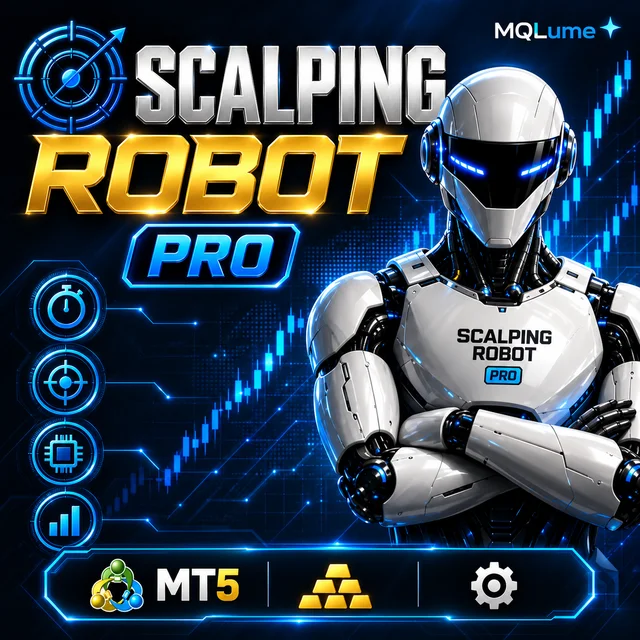
Gold M5 trading with seven signal modes, adjustable risk controls and an interactive chart dashboard.
Trading setup
Adjust the available inputs. Use a dedicated account: daily-limit and panic actions can close other positions on the current symbol. Runtime AUTO LOT is selected on the dashboard; restarting resets session tracking. Netting accounts have not been validated. ARMOR7 is a drawdown-status feature, not an executed hedge or loss guarantee. Default daily limits are 100% of the day-start balance; review them before use. Telegram is optional and needs your own credentials and WebRequest permission.
Setup information follows the supplied guide. Confirm the exact symbol and account settings with your broker.
Your next build starts here.
Includes the compiled EX5 program, installation guide and parameter documentation. Editable MQ5 source is available separately.
Fast, automatic delivery after payment confirmation. No waiting for manual dispatch.
Personal use · One-time paymentAdjust the available inputs.
Parameters
Parameters
Installation guide
Testing
Start in Strategy Tester with the intended symbol, timeframe and inputs, then check behaviour on a demo account. Product research and historical results are reference material, not a guarantee of this setup or future returns.
EA only · EX5 · v27.0
Adjust the available inputs.
Read PARAMETERS.pdf alongside README.txt for the meaning, defaults and operating notes behind the short input labels.
How to read EA parametersAdjust the available inputs.
| Parameters | Initial value |
|---|---|
Scalp Mode ([ALL ACTIVE] / Best Quant / etc.)InpDefaultScalpMode | MODE_ALL_ACTIVE |
Trigger Timeframe (M5)InpDefaultTriggerTF | PERIOD_M5 |
Auto-Execute Armed by DefaultInpAutoExecute | true |
ARMOR7 Drawdown Hedge LockInpEnableARMOR7 | true |
Flash Spike Freeze Guard (News Shield)InpEnableVelocity | true |
Max Daily Equity Loss LimitInpEnableDailyLoss | true |
Loss Limit Mode ($ or %)InpDailyLossMode | LIMIT_BALANCE_PERCENT |
Daily Loss Limit Figure ($ or %)InpMaxDailyLossVal | 100.0 |
Daily Profit Target Circuit BreakerInpEnableDailyTarget | true |
Profit Target Mode ($ or %)InpDailyTargetMode | LIMIT_BALANCE_PERCENT |
Daily Profit Target Figure ($ or %)InpDailyTargetVal | 100.0 |
Daily Reset Timezone (UTC/GMT Offset: 0=UTC, +2=EET, +7=ICT)InpTimezoneGMTOffset | 0 |
Post-Profit Freeze Guard (Anti-Chasing)InpEnableProfitCooldown | true |
Post-Profit Freeze Duration (Seconds: 30s)InpProfitCooldownSec | 30 |
Spread Quality Shield (Reject Night Spikes)InpFilterMaxSpreadRatio | true |
Max Allowable Gold Spread in Pips ($0.35)InpMaxSpreadPip | 3.5 |
[USE SL] Stop LossInpUseSL | true |
[USE TP] Mandatory Take Profit CheckboxInpUseTP | true |
Fixed Base Lot Size (No Martingale Multiplier)InpDefaultLot | 0.01 |
Dynamic Balance % Risk per TradeInpAutoRiskLot | false |
Risk % per Trade (if Auto Lot on: 1% Default)InpRiskPercent | 1.0 |
Default Stop Loss in Pips ($5.00 Price on Gold)InpDefaultSL_Pips | 50.0 |
Default Take Profit in Pips ($10.00 Price - 1:2 RR)InpDefaultTP_Pips | 100.0 |
[AUTO ATR SL] Dynamic ATR Stop LossInpAutoATR_SL | false |
[AUTO ATR TP] Dynamic ATR Take ProfitInpAutoATR_TP | false |
[MAX TRADES] Strict Single-Shot Sniper (Max 1 Open Position)InpMaxOpenPositions | 1 |
Expert Magic NumberInpMagicNumber | 777778 |
Manage Manual Trades on ChartInpManageManualTrades | true |
Auto Breakeven ShieldInpEnableAutoBE | true |
Breakeven Activation Pips ($0.80)InpBE_TriggerPips | 8.0 |
Breakeven Lock Pips ($0.20 Price)InpBE_LockPips | 2.0 |
Bank Partial Profit ScalpInpEnablePartialTP | true |
Partial TP Distance Pips ($1.50)InpPartialTP_Pips | 15.0 |
Dynamic Trailing Stop for Gold RunnersInpEnableTrailingStop | true |
Trailing Profit Distance Behind Price (2.0 to 3.0 Price)InpTrailDistPrice | 2.5 |
Trailing Start Activation Pips (2.0 Price / $2.00)InpTrailStartPips | 20.0 |
Enable Telegram Alerts (Set True if using Bot)InpEnableTelegram | false |
Bot Token (e.g. 123456:ABC-DEF1234ghIkl-zyx57W2v1u123ew11)InpTelegramBotToken | "" |
Chat ID (Your Personal or Group Chat ID)InpTelegramChatID | "" |
Play Audio ChimesInpSoundAlerts | true |
Draw Asian High/Low Lines on ChartInpDrawAsianLines | true |
Draw Basket Average Entry LineInpDrawAEPLine | true |
Show Background Gold Logo Watermark ("G7")InpShowWatermark | true |
Auto-Shift Chart Right of DashboardInpAutoChartShift | true |
Order comment brand (fixed; strategy tag is retained)InpOrderComment | "@MQLume" |
Support after delivery
While the product is actively maintained, we investigate and fix reproducible defects in the delivered, unmodified code that conflict with the product description.
Support for missing files, incorrect delivery and installation problems with the delivered EX5 in the stated MT5 environment.
Provide the release, settings, logs and reproduction steps so we can assess and resolve the issue.
For installation or reproducible defects in the delivered program, send the version, inputs, logs and reproduction steps. Custom strategy development is not included.
Includes the compiled EX5 program, installation guide and parameter documentation. Editable MQ5 source is available separately. Do not redistribute, resell or sublicense the files.
This is a copyable digital software product. After delivery, change-of-mind refunds are not offered. Review the selected edition and included files before ordering.
Bug-fix support covers reproducible defects in the delivered, unmodified program while it is actively maintained.
Includes the compiled EX5 program, installation guide and parameter documentation. Editable MQ5 source is available separately.
Personal use · One-time payment
Payment is checked with the provider or on the selected blockchain
Fast, automatic delivery after payment confirmation. No waiting for manual dispatch.
Ask us about advanced custom development. Share your requirements through private support or email; we will discuss the scope and quote separately.
100% committed to following up on your delivery and support requests.




Free editable gold breakout project with six independently selectable cores, session filters and flexible position sizing.

Free editable source with compiled EX5: four gold breakout engines with independent profiles, sizing, direction and exits.

Trend-based entries with optional grid additions, side controls and virtual exits.

RSI entries with two ATR filters, configurable sessions and optional grid management.
Ready for another approach? Choose an EA to run, or source code to explore and customise.

Source code · MQ5 + EX5
Gold M5 trading with seven signal modes, adjustable risk controls and an interactive chart dashboard.

Source code · MQ5 + EX5
A gold EA combining band and trend signals, scheduled entries, adjustable stops, trailing protection and account-loss limits.
Free EA · MQ5 + EX5
Free editable gold breakout project with six independently selectable cores, session filters and flexible position sizing.
Loading…

Stay close to MQLume, wherever you like to learn.
See our EAs in action. Explore backtests, walkthroughs and practical guides.
Watch on YouTubeMeet other EA users, share ideas and keep up with what’s new.
Join the community Follow official updates