
Gold
A focused improvement
For a specific change to an existing project.
Quoted per project
Discuss this tier · GoldReady-to-run EX5, with the freedom to use it personally.
Install the compiled EX5 in desktop MetaTrader 5. No separate MQH or DLL downloads and no MetaEditor compilation are needed.
Use it on your own computers and trading accounts, without MQLume device binding, account activation limits or usage-count limits.
A one-time purchase for personal use. MQLume charges no recurring licence, activation or per-use fees.
Overview
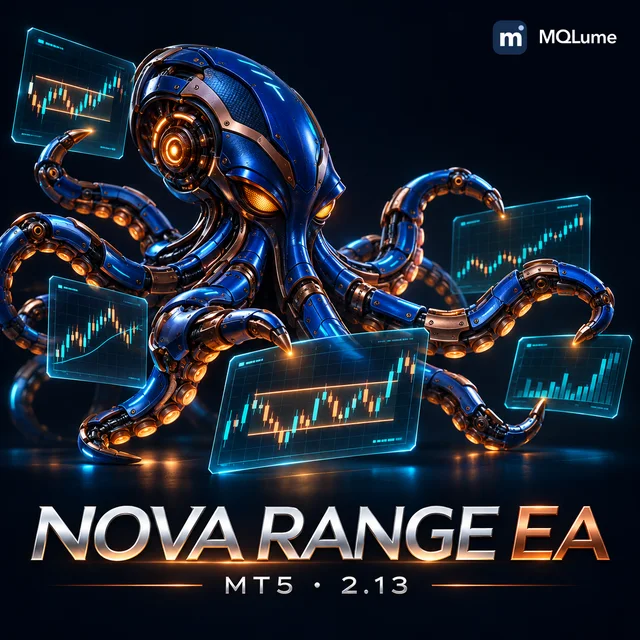
Nova Range EA analyses sequential market data with a trained neural model and selects opportunities on XAUUSD. Trading is selective, so quiet periods and clusters of entries are both possible. Use an M5 chart with sufficient M15 history. The model requires at least 416 completed M15 bars plus indicator warm-up.
Choose fixed lots, balance-based sizing or equity-based sizing. Risk Level scales lots per 1,000 converted account-value units and is not a percentage-loss limit. The entry cap covers up to two current-symbol/current-magic positions and standard pending orders combined. Stop protection, break-even, trailing and model-confidence exits manage positions.
Configure spread, direction, weekdays, broker-time offset, Friday closing and the New Year pause. News and NFP filters operate on ordinary charts and are bypassed in the tester. Daily and total drawdown controls depend on execution. Close All Trades on Limit can close unrelated account trades, and trailing also recognises magic 88888. Use a dedicated account when these shared scopes are unsuitable.
The source edition includes MQ5, compiled EX5, PARAMETERS.pdf, README and Models/NovaRangeSignal.onnx. Preserve the Models folder when compiling. The EX5 already embeds the model. No DLL, WebRequest service, preset or trading panel is supplied. The 37 inputs include an optional 18-UTF-16-unit order-comment suffix. Start with a hedging account, review the guide and test your broker setup.
Explore the parametersTrading setup
Adjust the available inputs. XAUUSD · M5 · Hedging
Read the supplied parameter guide for units and interactions before changing these initial values.
Your next build starts here.
Includes the compiled EX5 program, installation guide and parameter documentation. Editable MQ5 source is available separately.
Fast, automatic delivery after payment confirmation. No waiting for manual dispatch.
Personal use · One-time paymentAdjust the available inputs.
Parameters
Installation guide
Testing
Start in Strategy Tester with the intended symbol, timeframe and inputs, then check behaviour on a demo account. Product research and historical results are reference material, not a guarantee of this setup or future returns.
EA only · EX5 · v2.13
Adjust the available inputs.
Read PARAMETERS.pdf alongside README.txt for the meaning, defaults and operating notes behind the short input labels.
How to read EA parametersRead the supplied parameter guide for units and interactions before changing these initial values.
| Parameters | Initial value |
|---|---|
Magic NumberInpMagicNum | 20001215 |
Custom comment suffixInpComment | "" |
Read the supplied parameter guide for units and interactions before changing these initial values.
| Parameters | Initial value |
|---|---|
Max DeviationInpMaxSlippage | 30 |
Trade execution modeInpExecMode | AutomaticExecution |
Read the supplied parameter guide for units and interactions before changing these initial values.
| Parameters | Initial value |
|---|---|
Use News FilterInpUseNewsFilter | false |
Pause Before News (min)InpNewsMinBefore | 30 |
Pause After News (min)InpNewsMinAfter | 30 |
Hard NFP filter (independent of news filter)InpUseNFPFilter | true |
NFP block: minutes beforeInpNFPMinBefore | 120 |
NFP block: minutes afterInpNFPMinAfter | 120 |
Read the supplied parameter guide for units and interactions before changing these initial values.
| Parameters | Initial value |
|---|---|
TypeInpMMType | EquityLots |
Fixed LotInpFixedLots | 0.01 |
Risk LevelInpLotsPer1K | 0.02 |
Conversion Pair (e.g., USDJPY). Leave empty for Auto.InpCalcPair | "" |
Read the supplied parameter guide for units and interactions before changing these initial values.
| Parameters | Initial value |
|---|---|
Daily Loss Limit % (0 = Off)InpMaxDailyDrawdown | 0.0 |
Total Drawdown Limit % (0 = Off)InpMaxTotalDrawdown | 0.0 |
Initial Balance for calculations (0 = Auto)InpPropFirmInitialBalance | 0.0 |
Strict Mode: Initial Balance / Daily BalanceInpPropFirmStrictMode | true |
Daily Reset Time Offset (UTC)InpPropFirmUTCOffsetHours | 0 |
Close All Trades on LimitInpPropFirmCloseAllSymbols | true |
Show Protection Status LogsInpPropFirmPrintStatus | true |
Read the supplied parameter guide for units and interactions before changing these initial values.
| Parameters | Initial value |
|---|---|
Trade ModeInpTradeMode | BothDirections |
Max SpreadInpMaxSpreadPoints | 50 |
Broker TimeInpGMTOffsetHours | 0 |
Read the supplied parameter guide for units and interactions before changing these initial values.
| Parameters | Initial value |
|---|---|
MondayInpTradeMon | true |
TuesdayInpTradeTue | true |
WednesdayInpTradeWed | true |
ThursdayInpTradeThu | true |
FridayInpTradeFri | true |
SaturdayInpTradeSat | false |
SundayInpTradeSun | false |
Read the supplied parameter guide for units and interactions before changing these initial values.
| Parameters | Initial value |
|---|---|
Enable Friday Close AllInpFridayCloseEnable | false |
Friday Close Hour (broker time)InpFridayCloseHour | 23 |
Friday Close Minute (broker time)InpFridayCloseMinute | 0 |
Read the supplied parameter guide for units and interactions before changing these initial values.
| Parameters | Initial value |
|---|---|
Enable New Year PauseInpNYPauseEnable | false |
Days to close BEFORE New Year (Dec)InpNYDaysBefore | 14 |
Days to block AFTER New Year (Jan)InpNYDaysAfter | 14 |
Support after delivery
While the product is actively maintained, we investigate and fix reproducible defects in the delivered, unmodified code that conflict with the product description.
Support for missing files, incorrect delivery and installation problems with the delivered EX5 in the stated MT5 environment.
Provide the release, settings, logs and reproduction steps so we can assess and resolve the issue.
For installation or reproducible defects in the delivered program, send the version, inputs, logs and reproduction steps. Custom strategy development is not included.
Includes the compiled EX5 program, installation guide and parameter documentation. Editable MQ5 source is available separately. Do not redistribute, resell or sublicense the files.
This is a copyable digital software product. After delivery, change-of-mind refunds are not offered. Review the selected edition and included files before ordering.
Bug-fix support covers reproducible defects in the delivered, unmodified program while it is actively maintained.
Includes the compiled EX5 program, installation guide and parameter documentation. Editable MQ5 source is available separately.
Personal use · One-time payment
Payment is checked with the provider or on the selected blockchain
Fast, automatic delivery after payment confirmation. No waiting for manual dispatch.
Ask us about advanced custom development. Share your requirements through private support or email; we will discuss the scope and quote separately.
100% committed to following up on your delivery and support requests.




Free editable gold breakout project with six independently selectable cores, session filters and flexible position sizing.

Free editable source with compiled EX5: four gold breakout engines with independent profiles, sizing, direction and exits.

Trend-based entries with optional grid additions, side controls and virtual exits.

RSI entries with two ATR filters, configurable sessions and optional grid management.
Ready for another approach? Choose an EA to run, or source code to explore and customise.

Source code · MQ5 + EX5
Explore gold trading with a single-profile mode, an optional two-profile mode and separate risk inputs.

Free EA · MQ5 + EX5
Free editable source with compiled EX5: four gold breakout engines with independent profiles, sizing, direction and exits.
Loading…

Stay close to MQLume, wherever you like to learn.
See our EAs in action. Explore backtests, walkthroughs and practical guides.
Watch on YouTubeMeet other EA users, share ideas and keep up with what’s new.
Join the community Follow official updates