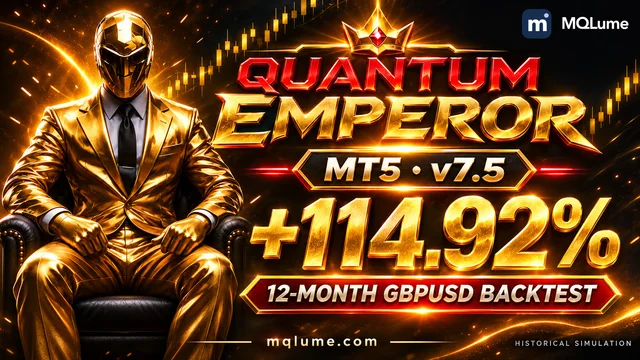
Quantum Emperor [MQLume] 7.5: +114.92% | GBPUSD · 12-month backtest
Return, drawdown, monthly results and selected settings for Quantum Emperor [MQLume] 7.5.
Return, drawdown, monthly results and selected settings for Quantum Emperor [MQLume] 7.5.
With the source in your hands, your ideas can go further than the settings panel.
Open your source in MetaEditor and start building. Projects use self-contained code or the standard libraries already included with MT5.
Study, customise and trade on your own accounts. Your EA source gives you the freedom to keep refining your ideas.
One purchase per source project. MQLume does not charge by the number of activations or uses.
Bring your ideas to an AI coding assistant. Use the editable MQL5 project as your starting point, and stay in control of every change.
Ask for a session filter, clearer logging or a different risk rule.
Read the proposed code, check the logic and compile it in MetaEditor.
Compare backtests, then test on a demo account before considering live use.
Use an AI tool of your choice; no AI subscription is included. Review generated code and keep your source private. Better tools support your process, but do not guarantee trading profits.
Overview
The source edition includes editable English MQ5, the compiled EX5, README and PARAMETERS.pdf. Read and adapt the entry and position-management logic in English. It uses MT5’s standard library, with no separate DLL or custom indicator; no custom trading panel or preset is supplied.
Built for MetaTrader 5. A complete source project, clear inputs and practical documentation give you control over your next build.
Trading setup
Explore GBPUSD entry batches with virtual entry levels, additional positions and recovery management.
These are marketplace specifications, not a guarantee of suitable capital or performance.
Explore 50 lines of the project's MQL5 source. Scroll inside the editor to discover more.
bool IsQuantumFirstFriday(const datetime time){ MqlDateTime parts={}; TimeToStruct(time,parts); return parts.day_of_week==5 && parts.day<8;}bool QuantumFridayAllowed(const datetime time,const int fridayPolicy){ MqlDateTime parts={}; TimeToStruct(time,parts); return parts.day_of_week!=5 || fridayPolicy==0;}bool IsQuantumRangeWindow(const datetime now,const datetime endTime){ return now>endTime && now<endTime+PeriodSeconds(PERIOD_M1);}void RefreshQuantumRange(const string symbol,const datetime now, const double bidSnapshot,const double askSnapshot, const double point,const int digits, const double buyBufferPoints,const double sellBufferPoints, QuantumBreakoutRange &range){ if(!IsQuantumRangeWindow(now,range.endTime)) { range.highPrice=0.0; range.buyEntry=0.0; range.sellEntry=0.0; return; } range.startShift=iBarShift(symbol,PERIOD_CURRENT,range.startTime,false); range.endShift=iBarShift(symbol,PERIOD_CURRENT,range.endTime,false); const int highShift=iHighest(symbol,PERIOD_CURRENT,MODE_HIGH,range.startShift+1,0); const double high=iHigh(symbol,PERIOD_CURRENT,highShift); range.highPrice=high; const int lowShift=iLowest(symbol,PERIOD_CURRENT,MODE_LOW,range.startShift+1,0); const double low=iLow(symbol,PERIOD_CURRENT,lowShift); const double upper=high+buyBufferPoints*point; const double lower=low-sellBufferPoints*point; range.buyEntry=(high>0.0 && upper>askSnapshot ? RoundQuantumDecimal(upper,digits) : 0.0); range.sellEntry=(low>0.0 && lower<bidSnapshot ? RoundQuantumDecimal(lower,digits) : 0.0);}double QuantumBuyEntry(const double upper,const double minimumDistance, const double askSnapshot,const double point){ return upper-minimumDistance<askSnapshot ? askSnapshot+minimumDistance+point : upper;}Your next build starts here.
Complete source, practical documentation and reference files to help you understand, customise and test your EA.
100% source code means the editable implementation of this product is supplied in full. It is not an EX5-only delivery or a hidden strategy module.
Version 7.5 · Personal-use licenceComplete, editable single-file source. Read the logic, customise it and compile your own EA.
The compiled EA accompanying the source. Recompile after editing the MQ5.
Parameter handbook with initial values, sizing formulas and usage notes.
A concise welcome, installation and compilation guide, with licence terms and support details.
Explore, customise and test your EA across different market conditions. Start with the supplied guide, then build a testing routine around your own settings.
Version v7.5 · 32
Initial settings from the delivered source. Review and test changes before using them.
Explore the inputs below to shape the EA around your research, risk preferences and workflow. Outgoing EA order comments use @MQLume and retain required strategy identifiers. Comment inputs remain for saved-setting compatibility and do not remove the execution label.
Read PARAMETERS.pdf alongside README.txt for the meaning, defaults and operating notes behind the short input labels.
Initial settings from the delivered source. Review and test changes before using them.
| Source input key | Initial value |
|---|---|
[Expert Advisor]InpVersion | Display text |
[Description]InpDescription | Display text |
[Link to Manual]InpManual | Display text |
Initial settings from the delivered source. Review and test changes before using them.
| Source input key | Initial value |
|---|---|
Enable Auto LotAuto | true |
Auto Lot (Risk Level & Recommended Initial Balance)InpRiskLevel | Medium ($1,800)RiskMedium |
Fixed Lot (Enable Auto Lot = false)Lot | 0.01 |
Magic NumberInpMagicNumber | 777777 |
Trade comment: fixed @MQLume; legacy matching onlyEAComment | "@MQLume" |
Initial settings from the delivered source. Review and test changes before using them.
| Source input key | Initial value |
|---|---|
Dynamic Hour Start (IMPORTANT)Box_Start | "03:00" |
Close Market watch Orders atEx_Pend | "21:30" |
Initial settings from the delivered source. Review and test changes before using them.
| Source input key | Initial value |
|---|---|
Enable Smart RecoverySmartRecovery | true |
Recovery Multiplier InputSmartRecoveryMultiplier | 1.6 |
Recovery Multiplier TimesSmartRecoveryMultiplierTimes | 3 |
Initial settings from the delivered source. Review and test changes before using them.
| Source input key | Initial value |
|---|---|
Enable First Additional Tradeadditionaltrade | true |
Enable Second Additional Tradesecondadditionaltrade | true |
Close Trades in Profit at TimeCloseTradesInProfit | true |
Time to Close Profit TradesTimeToCloseProfit | "10:59" |
Initial settings from the delivered source. Review and test changes before using them.
| Source input key | Initial value |
|---|---|
Enable TP for First Additional TradeEnableFirstAdditionalTP | true |
TP Points for First Additional TradeFirstAdditionalTP | 170.0 |
Enable TP for Second Additional TradeEnableSecondAdditionalTP | true |
TP Points for Second Additional TradeSecondAdditionalTP | 400.0 |
Initial settings from the delivered source. Review and test changes before using them.
| Source input key | Initial value |
|---|---|
Trade FridaytradeFriday | FridayDisabled |
Disable Trading on NFP FridayDisableNFP | true |
Disable Trading During US Bank HolidaysPauseUSHoliday | true |
Disable Trading During Holidays (Dec 15 - Jan 15)DisableTradeHoliday | true |
SlippageSlippage | 5 |
Initial settings from the delivered source. Review and test changes before using them.
| Source input key | Initial value |
|---|---|
Enable DSTEnableDST | true |
Initial settings from the delivered source. Review and test changes before using them.
| Source input key | Initial value |
|---|---|
Points Above RangeAbPinp | 1.0 |
Points Below RangeBePinp | 1.0 |
Order SL pointsStopLoss | 2500.0 |
Amount of orders to splitAmount | 5 |
Cancelling timeCancelTime | Cancel when pending orders are triggeredCancelOnEntry |
Support after delivery
While the product is actively maintained, we investigate and fix reproducible defects in the delivered, unmodified code that conflict with the product description.
Support: while the product is actively maintainedMissing files, incorrect delivery and original-code compilation failures in the stated environment.
Provide the release, settings, logs and reproduction steps so we can assess and resolve the issue.
Start with the included guide and contact us for help with delivery or reproducible software defects. Trading results are not guaranteed.
You may read, modify and compile the delivered source for your own research and trading accounts. Keep a backup of the original delivery before making changes. You may not resell, redistribute, publish or sublicense the source or compiled files, or offer them as a white-label product, without separate written permission. Source delivery does not transfer copyright or ownership of third-party names.
Source code is a copyable digital product. Once delivered, we do not accept change-of-mind refunds, including because you no longer need the product. Check compatibility, contents and disclosed limits before ordering.
After payment is verified, we deliver the source package and documentation to your order email. Check your inbox and spam folder. Keep your order reference for delivery and support questions. Include your order reference, source release, terminal build, settings, expected behaviour and steps to reproduce. Attach only relevant logs and remove account credentials.
Read the files, environment and terms
Check the source version and purchase terms
Payment is checked with the provider or on the selected blockchain
Fast, automatic delivery after payment confirmation. No waiting for manual dispatch.
Ask us about advanced custom development. Share your requirements through private support or email; we will discuss the scope and quote separately.
100% committed to following up on your delivery and support requests.
Explore free EA source code




Free editable gold breakout project with six independently selectable cores, session filters and flexible position sizing.

Free editable source with compiled EX5: four gold breakout engines with independent profiles, sizing, direction and exits.
Learn the difference: MQL4 / MQL5 source uses .mq4 / .mq5; EX4 / EX5 files are compiled programs. Buying an EX4 or EX5 file does not automatically include source code.
Two original, non-trading learning samples for MT4 and MT5. Inspect OnInit and OnDeinit logging without order execution.
Learning samples only. Review and compile them in MetaEditor before use; these samples do not place trades.
Ready for another approach? Choose an EA to run, or source code to explore and customise.

Source code · MQ5 + EX5
XAUUSD · Flexible sizing and account protections


EA only · EX5
Customise a gold scalper with two trading modes, configurable stop profiles, trailing exits and position sizing.
Loading…

Stay close to MQLume, wherever you like to learn.
See our EAs in action. Explore backtests, walkthroughs and practical guides.
Watch on YouTubeMeet other EA users, share ideas and keep up with what’s new.
Join the community Follow official updates