
Gold
A focused improvement
For a specific change to an existing project.
Quoted per project
Discuss this tier · GoldAn MT5 chart indicator with adjustable inputs. It does not place or manage trades. Read the product conditions and supplied guides.
An MT5 chart indicator with adjustable inputs. It does not place or manage trades. Read the product conditions and supplied guides.
Use it on your own computers and trading accounts, without MQLume device binding, account activation limits or usage-count limits.
A one-time purchase for personal use. MQLume charges no recurring licence, activation or per-use fees.
Overview
RelicusRoad Pro brings chart levels, trend analysis, signal displays and account information into one workspace. Enable the components you need, adjust their presentation and organise the view around your own chart-reading process.
Funding thresholds, account information and position-size estimates provide planning references. They do not submit, modify or close orders. Check instrument specifications and your own risk settings before acting on any displayed value.
The large input library controls calculation, visibility, alerts and presentation. Saved chart profiles are separate from SET files, and some preferences are tied to the chart, symbol and timeframe. Back up both kinds of settings when moving the workspace.
The source package includes the required RelicusRoadAssets resources; retain their folder structure when compiling. Email and mobile alerts depend on terminal configuration. Economic-calendar information depends on terminal availability and is not supplied by Strategy Tester.
Explore the parametersTrading setup
Adjust the available inputs. Keep included RelicusRoadAssets resources with the source. Profiles and SET files are distinct. Economic-calendar features are unavailable in Strategy Tester. Account and lot references do not execute trades.
Read the supplied parameter guide for units and interactions before changing these initial values.
Your next build starts here.
Includes the compiled EX5 program, installation guide and parameter documentation. Editable MQ5 source is available separately.
Fast, automatic delivery after payment confirmation. No waiting for manual dispatch.
Personal use · One-time paymentAdjust the available inputs.
Parameters
Installation guide
Testing
An MT5 chart indicator with adjustable inputs. It does not place or manage trades. Read the product conditions and supplied guides.
Indicator · EX5 · v2.321
Adjust the available inputs.
Read PARAMETERS.pdf alongside README.txt for the meaning, defaults and operating notes behind the short input labels.
How to read EA parametersRead the supplied parameter guide for units and interactions before changing these initial values.
| Parameters | Initial value |
|---|---|
MQLume website and support entry.JoinDiscord | "https://mqlume.com" |
MQLume website and documentation entry.UserManual | "https://mqlume.com" |
Reminder shown in the input list.SecretFormula | "Mindset, Discipline & Lots of Practice" |
Read the supplied parameter guide for units and interactions before changing these initial values.
| Parameters | Initial value |
|---|---|
History budget for ordinary chart calculations.InpRatesLimit | 5000 |
History budget used in Strategy Tester calculations.InpStrategyTesterBarsLimit | 5000 |
Prediction Type.InpPredictionType | 0 |
Show the information and feature-control panel.InpShowInfoPanel | true |
Enable or disable ip events.InpBool_IP_Events | true |
Read the supplied parameter guide for units and interactions before changing these initial values.
| Parameters | Initial value |
|---|---|
Enable or disable show road.InpShowRoad | true |
Enable or disable show trend line.InpShowTrendLine | false |
Enable or disable show action levels.InpShowActionLevels | true |
Enable or disable show support resistance.InpShowSupportResistance | true |
Enable or disable show order blocks.InpShowOrderBlocks | false |
Enable or disable multi tfsupport resistance.InpMultiTFSupportResistance | false |
Enable or disable show signal line1.InpShowSignalLine1 | true |
Enable or disable show signal line2.InpShowSignalLine2 | true |
Enable or disable show dhlo.InpShowDHLO | true |
Enable or disable show daily pivots.InpShowDailyPivots | true |
Enable or disable show scalping fibos.InpShowScalpingFibos | true |
Enable or disable show dynamic reversal circles.InpShowDynamicReversalCircles | false |
Enable or disable show signal cloud.InpShowSignalCloud | false |
Enable or disable show super trend.InpShowSuperTrend | false |
Enable or disable show multi tftrend.InpShowMultiTFTrend | true |
Enable or disable show fair value gaps.InpShowFairValueGaps | false |
Enable or disable show session times.InpShowSessionTimes | true |
Read the supplied parameter guide for units and interactions before changing these initial values.
| Parameters | Initial value |
|---|---|
Master switch for applicable arrow text labels.InpShowArrowLabels | true |
Enable or disable show reversal arrows.InpShowReversalArrows | false |
Sets reversal arrows frequency.InpReversalArrowsFrequency | 7 |
Sets show scalping arrows.InpShowScalpingArrows | 1 |
Sets scalping arrows frequency.InpScalpingArrowsFrequency | 5 |
Enable or disable show trend arrows.InpShowTrendArrows | false |
Sets trend arrows frequency.InpTrendArrowsFrequency | 7 |
Enable or disable show strategy5 arrows.InpShowStrategy5Arrows | false |
Enable or disable show candle pattern arrows.InpShowCandlePatternArrows | false |
Enable or disable show fractals.InpShowFractals | false |
Read the supplied parameter guide for units and interactions before changing these initial values.
| Parameters | Initial value |
|---|---|
Enable or disable show alerts.InpShowAlerts | true |
Enable or disable pop-up.InpPopUpAlerts | true |
Enable or disable email.InpEmailAlerts | true |
Enable or disable phone.InpMobileAlerts | true |
Enable or disable panel sounds.InpEnableGUISounds | true |
Retained GUI sound preset level.InpGUIVolumeLevel | 30 |
Input-list section heading.StrSignalAlerts | Display text |
Retained moving-average-cross alert setting.InpMACrossOverAlerts | true |
Read the supplied parameter guide for units and interactions before changing these initial values.
| Parameters | Initial value |
|---|---|
Sets background.InpAutoScheme | 0 |
Sets colours.InpChartPalette | 0 |
Enable or disable hide separators.InpAutoPeriod | true |
Enable or disable show ask line.InpAutoAsk | true |
Enable or disable chart in front.InpAutoFront | false |
Select the automatic base chart style.InpAutoCandles | true |
Enable or disable hide grid.InpAutoGrid | true |
Enable or disable auto scale.InpAutoScale | true |
Enable or disable chart shift.InpAutoShift | true |
Read the supplied parameter guide for units and interactions before changing these initial values.
| Parameters | Initial value |
|---|---|
Risk budget used by the panel lot-size estimate.InpLotRiskPercent | 1.0 |
Stop distance used by the panel lot-size estimate.InpLotStopPoints | 0.0 |
Font-size multiplier for panel and dialog drawing.InpFontSizeMultiplier | 10 |
Sets show server status.ShowServerStatus | 0 |
Read the supplied parameter guide for units and interactions before changing these initial values.
| Parameters | Initial value |
|---|---|
Select ordinary or Funding account information.AccountType | 0 |
Configured account balance used for Funding thresholds.AccountSize | 10000 |
Funding target above configured account size.PersonalProfitTarget | 10 |
Daily Funding loss allowance.PersonalLossTarget | 5 |
Retained Funding preset setting.TargetType | 0 |
Display account equity in the ordinary information view.ShowAccountEquity | false |
Read the supplied parameter guide for units and interactions before changing these initial values.
| Parameters | Initial value |
|---|---|
Source timeframe for inp trendline tf.InpTrendlineTF | PERIOD_CURRENT |
Sets inp history bars.InpHistoryBars | 350 |
Sets inp short range.InpShortRange | 9 |
Sets inp medium range.InpMediumRange | 60 |
Sets inp long range.InpLongRange | 156 |
Enable or disable inp show short enabled.InpShowShort | true |
Enable or disable inp show medium enabled.InpShowMedium | true |
Enable or disable inp show long enabled.InpShowLong | true |
Show High Pivot Labels.InpShowHighPivotLabels | true |
Show Low Pivot Labels.InpShowLowPivotLabels | true |
Color used for short color.InpClrShort | clrRed |
Color used for medium color.InpClrMedium | clrGoldenrod |
Color used for long color.InpClrLong | clrBlue |
Pivot High.InpClrPivotHigh | 16777215 |
Pivot Low.InpClrPivotLow | 16777215 |
Sets inp trendline width short.InpTrendlineWidthShort | 1 |
Sets inp trendline width medium.InpTrendlineWidthMedium | 1 |
Sets inp trendline width long.InpTrendlineWidthLong | 1 |
Sets inp trendline style short style.InpTrendlineStyleShort | STYLE_DASH |
Sets inp trendline style medium style.InpTrendlineStyleMedium | STYLE_DASH |
Sets inp trendline style long style.InpTrendlineStyleLong | STYLE_DASH |
Sets inp trendline history short.InpTrendlineHistoryShort | 4 |
Sets inp trendline history medium.InpTrendlineHistoryMedium | 2 |
Sets inp trendline history long.InpTrendlineHistoryLong | 2 |
Trendline Chunk Size Short.InpTrendlineChunkSizeShort | 2 |
Trendline Chunk Size Medium.InpTrendlineChunkSizeMedium | 3 |
Trendline Chunk Size Long.InpTrendlineChunkSizeLong | 3 |
Pivot Label History.InpPivotLabelHistory | 12 |
Pivot Label Font.InpPivotLabelFont | "Arial" |
Pivot Label Font Size.InpPivotLabelFontSize | 8 |
Read the supplied parameter guide for units and interactions before changing these initial values.
| Parameters | Initial value |
|---|---|
Source timeframe for timeframe.InpEnum_OB_TF | (ENUM_TIMEFRAMES)0 |
Enable or disable fill enabled.InpBool_OB_Fill | true |
Enable or disable ob labels.InpBool_OB_Labels | true |
Sets width.InpInt_OB_Width | 1 |
Sets style.InpEnum_OB_Style | (ENUM_LINE_STYLE)0 |
Sets displacement atr.InpDbl_OB_DisplacementATR | 1.5 |
Sets min body ratio.InpDbl_OB_MinBodyRatio | 0.55 |
Sets structure lookback.InpInt_OB_StructureLookback | 20 |
Sets max origin lookback.InpInt_OB_MaxOriginLookback | 3 |
Sets age half life.InpDbl_OB_AgeHalfLife | 250.0 |
Sets depletion gamma.InpDbl_OB_DepletionGamma | 2.0 |
Sets min strength.InpDbl_OB_MinStrength | 0.25 |
Sets max blocks per side.InpInt_OB_MaxBlocksPerSide | 3 |
Sets max age bars.InpInt_OB_MaxAgeBars | 600 |
Sets acceptance bars.InpInt_OB_AcceptanceBars | 3 |
Sets acceptance threshold.InpDbl_OB_AcceptanceThreshold | 0.67 |
Color used for bull color.InpClr_OB_Bull | 8421376 |
Color used for bear color.InpClr_OB_Bear | 2237106 |
Color used for breaker bull color.InpClr_OB_BreakerBull | 13850042 |
Color used for breaker bear color.InpClr_OB_BreakerBear | 14053594 |
Read the supplied parameter guide for units and interactions before changing these initial values.
| Parameters | Initial value |
|---|---|
Enable or disable road alerts.InpBool_Road_Alerts | false |
Sets history.InpInt_Road_History | 3000 |
Source timeframe for timeframe.InpEnum_Road_TF | (ENUM_TIMEFRAMES)0 |
Road calculation mode.InpEnum_Road_Type | 0 |
Input-list section heading.ROADLINES_SHOW | Display text |
Enable or disable sell line3enabled.InpBool_Road_SellLine_3 | true |
Enable or disable sell line2enabled.InpBool_Road_SellLine_2 | true |
Enable or disable sell line1enabled.InpBool_Road_SellLine_1 | true |
Enable or disable safe line enabled.InpBool_Road_SafeLine | true |
Enable or disable buy line1enabled.InpBool_Road_BuyLine_1 | true |
Enable or disable buy line2enabled.InpBool_Road_BuyLine_2 | true |
Enable or disable buy line3enabled.InpBool_Road_BuyLine_3 | true |
Input-list section heading.ROADLINES_NAMES | Display text |
Sets road sell line 3.InpStr_Road_SellLine_3 | "TP/SL-3" |
Sets road sell line 2.InpStr_Road_SellLine_2 | "TP/SL-2" |
Sets road sell line 1.InpStr_Road_SellLine_1 | "TP/SL-1" |
Sets road safe line.InpStr_Road_SafeLine | "Safe Close" |
Sets road buy line 1.InpStr_Road_BuyLine_1 | "TP/SL-1" |
Sets road buy line 2.InpStr_Road_BuyLine_2 | "TP/SL-2" |
Sets road buy line 3.InpStr_Road_BuyLine_3 | "TP/SL-3" |
Input-list section heading.ROADLINES_COLORS | Display text |
Color used for sell line3color.InpClr_Road_SellLine_3 | 3937500 |
Color used for sell line2color.InpClr_Road_SellLine_2 | 2139610 |
Color used for sell line1color.InpClr_Road_SellLine_1 | 3937500 |
Color used for safe line color.InpClr_Road_SafeLine | 6908265 |
Color used for buy line1color.InpClr_Road_BuyLine_1 | 9498256 |
Color used for buy line2color.InpClr_Road_BuyLine_2 | 2139610 |
Color used for buy line3color.InpClr_Road_BuyLine_3 | 9498256 |
Input-list section heading.ROADLINES_WIDTH | Display text |
Sets sell line3width.InpWidth_Road_SellLine_3 | 1 |
Sets sell line2width.InpWidth_Road_SellLine_2 | 1 |
Sets sell line1width.InpWidth_Road_SellLine_1 | 1 |
Sets safe line width.InpWidth_Road_SafeLine | 1 |
Sets buy line1width.InpWidth_Road_BuyLine_1 | 1 |
Sets buy line2width.InpWidth_Road_BuyLine_2 | 1 |
Sets buy line3width.InpWidth_Road_BuyLine_3 | 1 |
Input-list section heading.ROADLINES_STYLE | Display text |
Sets sell line3style.InpStyle_Road_SellLine_3 | (ENUM_LINE_STYLE)2 |
Sets sell line2style.InpStyle_Road_SellLine_2 | (ENUM_LINE_STYLE)2 |
Sets sell line1style.InpStyle_Road_SellLine_1 | (ENUM_LINE_STYLE)0 |
Sets safe line style.InpStyle_Road_SafeLine | (ENUM_LINE_STYLE)2 |
Sets buy line1style.InpStyle_Road_BuyLine_1 | (ENUM_LINE_STYLE)0 |
Sets buy line2style.InpStyle_Road_BuyLine_2 | (ENUM_LINE_STYLE)2 |
Sets buy line3style.InpStyle_Road_BuyLine_3 | (ENUM_LINE_STYLE)2 |
Read the supplied parameter guide for units and interactions before changing these initial values.
| Parameters | Initial value |
|---|---|
Enable or disable sr alerts.InpBool_SR_Alerts | false |
Source timeframe for timeframe.InpEnum_SR_TF | (ENUM_TIMEFRAMES)0 |
Sets history.InpInt_SR_History | 3000 |
Sets max zones.InpInt_SR_MaxZones | 50 |
Sets future bars.InpInt_SR_FutureBars | 3 |
Sets sensitivity.InpDbl_SR_Sensitivity | 0.75 |
Enable or disable fill enabled.InpBool_SR_Fill | true |
Enable or disable merge enabled.InpBool_SR_Merge | true |
Enable or disable extend enabled.InpBool_SR_Extend | false |
Enable or disable names enabled.InpBool_SR_Names | true |
Enable or disable points enabled.InpBool_SR_Points | true |
Input-list section heading.SHOW_ZONES | Display text |
Enable or disable verified enabled.InpBool_SR_Verified | true |
Enable or disable turncoat enabled.InpBool_SR_Turncoat | true |
Enable or disable weak enabled.InpBool_SR_Weak | true |
Enable or disable untested enabled.InpBool_SR_Untested | true |
Enable or disable possible enabled.InpBool_SR_Possible | false |
Enable or disable sr broken.InpBool_SR_Broken | false |
Input-list section heading.STYLE_ZONES | Display text |
Sets sr width.InpInt_SR_Width | 1 |
Sets sr style.InpEnum_SR_Style | (ENUM_LINE_STYLE)0 |
Zone Label Shift.InpZone_Label_Shift | 5 |
Color used for sr label.InpClr_SR_Label | 16119285 |
Sets font label.InpFont_Label | "Courier New" |
Sets label.InpSize_Label | 8 |
Input-list section heading.ZONES_COLOR | Display text |
Color used for supp verified color.InpClr_SR_Supp_Verified | 25600 |
Color used for supp weak color.InpClr_SR_Supp_Weak | 32768 |
Color used for supp untested color.InpClr_SR_Supp_Untested | 5737262 |
Color used for supp turncoat color.InpClr_SR_Supp_Turncoat | 2330219 |
Color used for supp possible color.InpClr_SR_Supp_Possible | 5197615 |
Color used for resist verified color.InpClr_SR_Resist_Verified | 255 |
Color used for resist weak color.InpClr_SR_Resist_Weak | 36095 |
Color used for resist untested color.InpClr_SR_Resist_Untested | 5275647 |
Color used for resist turncoat color.InpClr_SR_Resist_Turncoat | 14053594 |
Color used for resist possible color.InpClr_SR_Resist_Possible | 8519755 |
Color used for sr brok weak.InpClr_SR_Brok_Weak | 11119017 |
Color used for sr brok verified.InpClr_SR_Brok_Verified | 8421504 |
Color used for sr brok other.InpClr_SR_Brok_Other | 6908265 |
Input-list section heading.ZONE_ALERTS_FILTER | Display text |
Filter SR Alert.InpFilter_SR_Alert | true |
TF MA.InpTF_MA | 0 |
MA FAST PERIOD.InpMA_FAST_PERIOD | 1 |
MA FAST METHOD.InpMA_FAST_METHOD | 1 |
MA SLOW PERIOD.InpMA_SLOW_PERIOD | 3 |
MA SLOW METHOD.InpMA_SLOW_METHOD | 1 |
Input-list section heading.SR_FIELD_SETTINGS | Display text |
Enable or disable sr use density field.InpBool_SR_UseDensityField | false |
Enable or disable sr field show summary.InpBool_SR_FieldShowSummary | true |
Enable or disable sr field scale aware.InpBool_SR_FieldScaleAware | true |
Sets sr field start offset bars.InpInt_SR_FieldStartOffsetBars | 5 |
Sets sr field grid bins.InpInt_SR_FieldGridBins | 384 |
Sets sr field bandwidth atr.InpDbl_SR_FieldBandwidthATR | 0.35 |
Sets sr field age half life.InpDbl_SR_FieldAgeHalfLife | 250.0 |
Sets sr field depletion.InpDbl_SR_FieldDepletion | 0.12 |
Sets sr field min strength.InpDbl_SR_FieldMinStrength | 0.35 |
Sets sr field peak separation atr.InpDbl_SR_FieldPeakSeparationATR | 0.75 |
Sets sr field zone half width atr.InpDbl_SR_FieldZoneHalfWidthATR | 0.12 |
Sets sr field max zone half width atr.InpDbl_SR_FieldMaxZoneHalfWidthATR | 0.45 |
Sets sr field max distance atr.InpDbl_SR_FieldMaxDistanceATR | 6.0 |
Sets sr field influence atr.InpDbl_SR_FieldInfluenceATR | 3.0 |
Sets sr field spread floor multiplier.InpDbl_SR_FieldSpreadFloorMultiplier | 1.5 |
Sets sr field data reference events.InpDbl_SR_FieldDataReferenceEvents | 32.0 |
Sets sr field max zones per side.InpInt_SR_FieldMaxZonesPerSide | 5 |
Sets sr field recent bars.InpInt_SR_FieldRecentBars | 100 |
Sets sr field reaction bars.InpInt_SR_FieldReactionBars | 4 |
Sets sr field acceptance bars.InpInt_SR_FieldAcceptanceBars | 3 |
Sets sr field acceptance threshold.InpDbl_SR_FieldAcceptanceThreshold | 0.67 |
Read the supplied parameter guide for units and interactions before changing these initial values.
| Parameters | Initial value |
|---|---|
Enable or disable al alerts.InpBool_AL_Alerts | false |
Source timeframe for timeframe.InpEnum_AL_TF | (ENUM_TIMEFRAMES)0 |
Sets lines.InpInt_AL_Lines | 100 |
Sets multiplier.InpDbl_AL_Multiplier | 1.0 |
Enable or disable formula mode enabled.InpBool_AL_FormulaMode | true |
Enable or disable al use adaptive.InpBool_AL_UseAdaptive | true |
Enable or disable al use dynamic rounding.InpBool_AL_UseDynamicRounding | true |
Enable or disable main enabled.InpBool_AL_Main | true |
Enable or disable sub enabled.InpBool_AL_Sub | true |
Sets main style.InpStyle_AL_Main | (ENUM_LINE_STYLE)4 |
Sets sub style.InpStyle_AL_Sub | (ENUM_LINE_STYLE)2 |
Color used for main color.InpClr_AL_Main | 16711680 |
Color used for sub color.InpClr_AL_Sub | 7504122 |
Read the supplied parameter guide for units and interactions before changing these initial values.
| Parameters | Initial value |
|---|---|
Enable or disable sline1 alerts.InpBool_SLINE1_Alerts | false |
Sets s line1history.InpInt_SLINE1_History | 3000 |
Source timeframe for s line1matf.InpTF_SLINE1_MA_TF | PERIOD_CURRENT |
Sets s line1ma.InpMethod_SLINE1_MA | 4 |
Sets s line1period.InpInt_SLINE1_Period | 9 |
Sets s line1strat type.InpEnum_SLINE1_Strat_Type | 5 |
Source timeframe for s line1strat tf.InpTF_SLINE1_Strat_TF | PERIOD_CURRENT |
Color used for s line1uptrend color.InpClr_SLINE1_Uptrend | 9498256 |
Color used for s line1neutral color.InpClr_SLINE1_Neutral | 8421504 |
Color used for s line1dntrend color.InpClr_SLINE1_Dntrend | 8036607 |
Sets s line1uptrend style.InpStyle_SLINE1_Uptrend | STYLE_SOLID |
Sets s line1neutral style.InpStyle_SLINE1_Neutral | STYLE_SOLID |
Sets s line1dntrend style.InpStyle_SLINE1_Dntrend | STYLE_SOLID |
Sets s line1uptrend width.InpWidth_SLINE1_Uptrend | 2 |
Sets s line1neutral width.InpWidth_SLINE1_Neutral | 2 |
Sets s line1dntrend width.InpWidth_SLINE1_Dntrend | 2 |
Read the supplied parameter guide for units and interactions before changing these initial values.
| Parameters | Initial value |
|---|---|
Enable or disable sline2 alerts.InpBool_SLINE2_Alerts | false |
Sets s line2history.InpInt_SLINE2_History | 3000 |
Source timeframe for s line2matf.InpTF_SLINE2_MA_TF | PERIOD_CURRENT |
Sets s line2ma.InpMethod_SLINE2_MA | 7 |
Sets s line2period.InpInt_SLINE2_Period | 200 |
Sets s line2strat type.InpEnum_SLINE2_Strat_Type | 6 |
Source timeframe for s line2strat tf.InpTF_SLINE2_Strat_TF | PERIOD_CURRENT |
Color used for s line2uptrend color.InpClr_SLINE2_Uptrend | 9498256 |
Color used for s line2neutral color.InpClr_SLINE2_Neutral | 8421504 |
Color used for s line2dntrend color.InpClr_SLINE2_Dntrend | 8036607 |
Sets s line2uptrend style.InpStyle_SLINE2_Uptrend | STYLE_SOLID |
Sets s line2neutral style.InpStyle_SLINE2_Neutral | STYLE_SOLID |
Sets s line2dntrend style.InpStyle_SLINE2_Dntrend | STYLE_SOLID |
Sets s line2uptrend width.InpWidth_SLINE2_Uptrend | 3 |
Sets s line2neutral width.InpWidth_SLINE2_Neutral | 3 |
Sets s line2dntrend width.InpWidth_SLINE2_Dntrend | 3 |
Read the supplied parameter guide for units and interactions before changing these initial values.
| Parameters | Initial value |
|---|---|
Enable or disable dhlo alerts.InpBool_DHLO_Alerts | false |
Sets history.InpInt_DHLO_History | 3000 |
Source timeframe for timeframe.InpTF_DHLO_TF | (ENUM_TIMEFRAMES)0 |
Enable or disable high enabled.InpBool_DHLO_High | true |
Enable or disable low enabled.InpBool_DHLO_Low | true |
Enable or disable open enabled.InpBool_DHLO_Open | true |
Color used for high color.InpClr_DHLO_High | 32768 |
Color used for low color.InpClr_DHLO_Low | 42495 |
Color used for open color.InpClr_DHLO_Open | 16711680 |
Sets high width.InpWidth_DHLO_High | 1 |
Sets low width.InpWidth_DHLO_Low | 1 |
Sets open width.InpWidth_DHLO_Open | 1 |
Read the supplied parameter guide for units and interactions before changing these initial values.
| Parameters | Initial value |
|---|---|
Enable or disable dp alerts.InpBool_DP_Alerts | false |
Source timeframe for timeframe.InpEnum_DP_TF | (ENUM_TIMEFRAMES)0 |
Sets size size.InpInt_DP_Size | 9 |
Enable or disable above enabled.InpBool_DP_Above | true |
Enable or disable current enabled.InpBool_DP_Current | true |
Enable or disable below enabled.InpBool_DP_Below | true |
Color used for above color.InpClr_DP_Above | 32768 |
Color used for current color.InpClr_DP_Current | 8421504 |
Color used for below color.InpClr_DP_Below | 255 |
Read the supplied parameter guide for units and interactions before changing these initial values.
| Parameters | Initial value |
|---|---|
Enable or disable sp alerts.InpBool_SP_Alerts | false |
Sets history.InpInt_SP_History | 500 |
Sets sp font name.InpStr_SP_FontName | "Arial Bold" |
Sets range.InpInt_SP_Range | 60 |
Sets bull size.InpInt_SP_BullSize | 8 |
Sets bear size.InpInt_SP_BearSize | 8 |
Enable or disable bull enabled.InpBool_SP_Bull | true |
Enable or disable bear enabled.InpBool_SP_Bear | true |
Color used for bull color.InpClr_SP_Bull | 3329330 |
Color used for bear color.InpClr_SP_Bear | 16711935 |
Read the supplied parameter guide for units and interactions before changing these initial values.
| Parameters | Initial value |
|---|---|
Enable or disable dc alerts.InpBool_DC_Alerts | false |
Sets history.InpInt_DC_History | 3000 |
Source timeframe for timeframe.InpEnum_DC_TF | (ENUM_TIMEFRAMES)0 |
Enable or disable dcperformance mode.InpDCPerformanceMode | false |
Enable or disable show dynamic reversals labels.InpShowDynamicReversalsLabels | true |
Sets s range.InpInt_DC_S_Range | 9 |
Sets m range.InpInt_DC_M_Range | 60 |
Sets l range.InpInt_DC_L_Range | 156 |
Enable or disable s high enabled.InpBool_DC_S_High | true |
Enable or disable s low enabled.InpBool_DC_S_Low | true |
Enable or disable m high enabled.InpBool_DC_M_High | true |
Enable or disable m low enabled.InpBool_DC_M_Low | true |
Enable or disable l high enabled.InpBool_DC_L_High | true |
Enable or disable l low enabled.InpBool_DC_L_Low | true |
Color used for s high color.InpClr_DC_S_High | 17919 |
Color used for s low color.InpClr_DC_S_Low | 32768 |
Color used for m high color.InpClr_DC_M_High | 42495 |
Color used for m low color.InpClr_DC_M_Low | 42495 |
Color used for l high color.InpClr_DC_L_High | 3937500 |
Color used for l low color.InpClr_DC_L_Low | 25600 |
Sets s low size.InpSize_DC_S_Low | 2 |
Sets s high size.InpSize_DC_S_High | 2 |
Sets m low size.InpSize_DC_M_Low | 4 |
Sets m high size.InpSize_DC_M_High | 4 |
Sets l low size.InpSize_DC_L_Low | 5 |
Sets l high size.InpSize_DC_L_High | 5 |
Read the supplied parameter guide for units and interactions before changing these initial values.
| Parameters | Initial value |
|---|---|
Enable or disable st alerts.InpBool_ST_Alerts | false |
Sets history.InpInt_ST_History | 3000 |
Source timeframe for timeframe.InpEnum_ST_TF | PERIOD_CURRENT |
Sets a trrange.InpInt_ST_ATR_Range | 10 |
Sets multiplier.InpInt_ST_Multiplier | 3.0 |
Color used for uptrend color.InpClr_ST_Uptrend | 32768 |
Color used for dntrend color.InpClr_ST_Dntrend | 2139610 |
Sets uptrend style.InpStyle_ST_Uptrend | STYLE_SOLID |
Sets dntrend style.InpStyle_ST_Dntrend | STYLE_SOLID |
Sets uptrend size.InpSize_ST_Uptrend | 2 |
Sets dntrend size.InpSize_ST_Dntrend | 2 |
Read the supplied parameter guide for units and interactions before changing these initial values.
| Parameters | Initial value |
|---|---|
Enable or disable fa alerts.InpBool_FA_Alerts | false |
Sets history.InpInt_FA_History | 3000 |
Sets fast range.InpInt_FA_FastRange | 3 |
Sets slow range.InpInt_FA_SlowRange | 6 |
Enable or disable fast high enabled.InpBool_FA_FastHigh | true |
Enable or disable fast low enabled.InpBool_FA_FastLow | true |
Enable or disable slow high enabled.InpBool_FA_SlowHigh | true |
Enable or disable slow low enabled.InpBool_FA_SlowLow | true |
Color used for fast high color.InpClr_FA_FastHigh | 255 |
Color used for fast low color.InpClr_FA_FastLow | 32768 |
Color used for slow high color.InpClr_FA_SlowHigh | 255 |
Color used for slow low color.InpClr_FA_SlowLow | 32768 |
Sets fast high size.InpSize_FA_FastHigh | 1 |
Sets fast low size.InpSize_FA_FastLow | 1 |
Sets slow high size.InpSize_FA_SlowHigh | 3 |
Sets slow low size.InpSize_FA_SlowLow | 3 |
Read the supplied parameter guide for units and interactions before changing these initial values.
| Parameters | Initial value |
|---|---|
Enable or disable ts alerts.InpBool_TS_Alerts | false |
Sets history.InpInt_TS_History | 5 |
Sets offset.InpInt_TS_Offset | 0 |
Enable or disable tokyo enabled.InpBool_TS_Tokyo | true |
Enable or disable london enabled.InpBool_TS_London | true |
Enable or disable new york enabled.InpBool_TS_NewYork | true |
Sets ing ts tokyo.InpString_TS_Tokyo | "Tokyo" |
Sets ing ts london.InpString_TS_London | "London" |
Sets ing ts new york.InpString_TS_NewYork | "New York" |
Color used for tokyo color.InpClr_TS_Tokyo | 42495 |
Color used for london color.InpClr_TS_London | 32768 |
Color used for new york color.InpClr_TS_NewYork | 255 |
Sets tokyo size.InpSize_TS_Tokyo | 0 |
Sets london size.InpSize_TS_London | 0 |
Sets new york size.InpSize_TS_NewYork | 0 |
Read the supplied parameter guide for units and interactions before changing these initial values.
| Parameters | Initial value |
|---|---|
Enable or disable show market language forecast.InpShowMarketLanguageForecast | false |
Enable or disable mlforecast gold only.InpMLForecastGoldOnly | true |
Enable or disable mlforecast m5 chart only.InpMLForecastM5ChartOnly | true |
Sets mlforecast history.InpMLForecastHistory | 80 |
Sets mlpattern audit paths.InpMLPatternAuditPaths | 0 |
Sets mlcurve substeps.InpMLCurveSubsteps | 12 |
Enable or disable mluse trend direction.InpMLUseTrendDirection | true |
Enable or disable mlshow forecast bands.InpMLShowForecastBands | false |
Enable or disable mlshow sentence candles.InpMLShowSentenceCandles | false |
Enable or disable mlshow detailed labels.InpMLShowDetailedLabels | false |
Color used for mlpattern1 color.InpMLPattern1Color | 16760576 |
Color used for mlpattern2 color.InpMLPattern2Color | 16711935 |
Color used for mlpattern3 color.InpMLPattern3Color | 42495 |
Color used for mlpattern audit prediction color.InpMLPatternAuditPredictionColor | 13749760 |
Color used for mlpattern audit actual color.InpMLPatternAuditActualColor | 12632256 |
Color used for mlforecast hit color.InpMLForecastHitColor | 3329330 |
Color used for mlforecast miss color.InpMLForecastMissColor | 4678655 |
Read the supplied parameter guide for units and interactions before changing these initial values.
| Parameters | Initial value |
|---|---|
Enable or disable show market formula signals.InpShowMarketFormulaSignals | false |
Enable or disable formula signals gold only.InpFormulaSignalsGoldOnly | true |
Enable or disable formula signals m5 chart only.InpFormulaSignalsM5ChartOnly | true |
Sets formula signal history.InpFormulaSignalHistory | 3000 |
Sets formula signal confirmation bars.InpFormulaSignalConfirmationBars | 1 |
Sets formula signal cooldown bars.InpFormulaSignalCooldownBars | 3 |
Sets formula signal pulse bars.InpFormulaSignalPulseBars | 3 |
Sets formula signal min transition beads.InpFormulaSignalMinTransitionBeads | 1 |
Sets formula signal min pulse beads.InpFormulaSignalMinPulseBeads | 2 |
Sets formula signal open quiet bars.InpFormulaSignalOpenQuietBars | 3 |
Read the supplied parameter guide for units and interactions before changing these initial values.
| Parameters | Initial value |
|---|---|
Enable or disable mtfb alerts.InpBool_MTFB_Alerts | false |
Enable or disable m1enabled.InpBool_MTFB_M1 | true |
Enable or disable m5enabled.InpBool_MTFB_M5 | true |
Enable or disable m15enabled.InpBool_MTFB_M15 | true |
Enable or disable m30enabled.InpBool_MTFB_M30 | true |
Enable or disable h1enabled.InpBool_MTFB_H1 | true |
Enable or disable h4enabled.InpBool_MTFB_H4 | true |
Enable or disable d1enabled.InpBool_MTFB_D1 | true |
Enable or disable w1enabled.InpBool_MTFB_W1 | true |
Enable or disable m n1enabled.InpBool_MTFB_MN1 | true |
Color used for uptrend color.InpClr_MTFB_Uptrend | 65280 |
Color used for neutral color.InpClr_MTFB_Neutral | 65535 |
Color used for dntrend color.InpClr_MTFB_Dntrend | 255 |
Sets text size.InpSize_MTFB_Text | 6 |
Sets arrow size.InpSize_MTFB_Arrow | 10 |
Read the supplied parameter guide for units and interactions before changing these initial values.
| Parameters | Initial value |
|---|---|
Fast MA Period.InpFastMA_Period | 50 |
Fast MA Method.InpFastMA_Method | 0 |
Slow MA Period.InpSlowMA_Period | 600 |
Slow MA Method.InpSlowMA_Method | 0 |
Read the supplied parameter guide for units and interactions before changing these initial values.
| Parameters | Initial value |
|---|---|
Source timeframe for fvg tf.Inp_FVG_TF | PERIOD_CURRENT |
Sets frequency type.InpFrequencyType | 0 |
Enable or disable auto threshold.InpAutoThreshold | false |
Sets threshold.InpThreshold | 10 |
Color used for bull candle clr.InpBullCandleClr | clrBlue |
Color used for bear candle clr.InpBearCandleClr | clrRed |
Read the supplied parameter guide for units and interactions before changing these initial values.
| Parameters | Initial value |
|---|---|
Input-list section heading.ReversalSettings | Display text |
Enable or disable rar alerts.InpBool_RAR_Alerts | true |
RAR History.InpInt_RAR_History | 3000 |
Sets rar size.InpInt_RAR_Size | 6 |
Enable or disable rar es labels.InpBool_RAR_ES_Labels | true |
Show Road reversal target and stop text at signal entry.InpBool_RAR_TPSL_Labels | false |
Enable or disable rar es.InpBool_RAR_ES | true |
Enable or disable rar tp.InpBool_RAR_TP | true |
Enable or disable rar sl.InpBool_RAR_SL | true |
Enable or disable rar cl.InpBool_RAR_CL | true |
Color used for rar buy es.InpClr_RAR_BuyES | 1993170 |
Color used for rar buy tp.InpClr_RAR_BuyTP | 1993170 |
Color used for rar buy sl.InpClr_RAR_BuySL | 1993170 |
Color used for rar buy cs.InpClr_RAR_BuyCS | 1993170 |
Color used for rar sell es.InpClr_RAR_SellES | 1993170 |
Color used for rar sell tp.InpClr_RAR_SellTP | 1993170 |
Color used for rar sell sl.InpClr_RAR_SellSL | 1993170 |
Color used for rar sell cs.InpClr_RAR_SellCS | 1993170 |
Sets rar es.InpInt_RAR_ES | 1 |
Sets rar tp.InpInt_RAR_TP | 2 |
Sets rar sl.InpInt_RAR_SL | 2 |
Sets rar cl.InpInt_RAR_CL | 2 |
Input-list section heading.ScalpingSettings | Display text |
Enable or disable sar alerts.InpBool_SAR_Alerts | true |
Sets sar history.InpInt_SAR_History | 3000 |
Sets sar size.InpInt_SAR_Size | 6 |
Enable or disable sar es labels.InpBool_SAR_ES_Labels | true |
Show SuperTrend target and stop text at signal entry.InpBool_SAR_TPSL_Labels | false |
Enable or disable sar es.InpBool_SAR_ES | true |
Enable or disable sar tp.InpBool_SAR_TP | true |
Enable or disable sar sl.InpBool_SAR_SL | true |
Enable or disable sar cl.InpBool_SAR_CL | true |
Color used for sar buy es.InpClr_SAR_BuyES | 2139610 |
Color used for sar buy tp.InpClr_SAR_BuyTP | 2139610 |
Color used for sar buy sl.InpClr_SAR_BuySL | 2139610 |
Color used for sar buy cs.InpClr_SAR_BuyCS | 2139610 |
Color used for sar sell es.InpClr_SAR_SellES | 2139610 |
Color used for sar sell tp.InpClr_SAR_SellTP | 2139610 |
Color used for sar sell sl.InpClr_SAR_SellSL | 2139610 |
Color used for sar sell cs.InpClr_SAR_SellCS | 2139610 |
Sets sar es.InpInt_SAR_ES | 1 |
Sets sar tp.InpInt_SAR_TP | 2 |
Sets sar sl.InpInt_SAR_SL | 2 |
Sets sar cl.InpInt_SAR_CL | 2 |
Sets scalping logic mode.InpScalpingLogicMode | 0 |
Input-list section heading.TrendArrowsSettings | Display text |
Enable or disable tar alerts.InpBool_TAR_Alerts | true |
Sets history.InpInt_TAR_History | 3000 |
Sets size size.InpInt_TAR_Size | 6 |
Enable or disable e slabels enabled.InpBool_TAR_ES_Labels | true |
TAR TPSL Labels.InpBool_TAR_TPSL_Labels | false |
Enable or disable e senabled.InpBool_TAR_ES | true |
TAR TP.InpBool_TAR_TP | true |
TAR SL.InpBool_TAR_SL | true |
TAR CL.InpBool_TAR_CL | true |
Color used for buy escolor.InpClr_TAR_BuyES | 255 |
TAR Buy TP.InpClr_TAR_BuyTP | 255 |
TAR Buy SL.InpClr_TAR_BuySL | 255 |
TAR Buy CS.InpClr_TAR_BuyCS | 255 |
Color used for sell escolor.InpClr_TAR_SellES | 255 |
TAR Sell TP.InpClr_TAR_SellTP | 255 |
TAR Sell SL.InpClr_TAR_SellSL | 255 |
TAR Sell CS.InpClr_TAR_SellCS | 255 |
Sets e s.InpInt_TAR_ES | 1 |
TAR TP.InpInt_TAR_TP | 1 |
TAR SL.InpInt_TAR_SL | 1 |
TAR CL.InpInt_TAR_CL | 1 |
Enable or disable gar alerts.InpBool_GAR_Alerts | true |
Sets history.InpInt_GAR_History | 3000 |
Sets font size.InpInt_GAR_Size | 7 |
Enable or disable arrow labels.InpBool_GAR_ES_Labels | true |
Enable or disable tp/sl labels.InpBool_GAR_TPSL_Labels | true |
Enable or disable show arrows.InpBool_GAR_ES | true |
Enable or disable show take profit.InpBool_GAR_TP | true |
Enable or disable show stop loss.InpBool_GAR_SL | true |
Enable or disable show close.InpBool_GAR_CL | true |
Color used for buy arrow color.InpClr_GAR_BuyES | 3329330 |
Color used for buy target color.InpClr_GAR_BuyTP | 3329330 |
Color used for buy stop color.InpClr_GAR_BuySL | 3329330 |
Color used for buy close color.InpClr_GAR_BuyCS | 3329330 |
Color used for sell arrow color.InpClr_GAR_SellES | 5911275 |
Color used for sell target color.InpClr_GAR_SellTP | 5911275 |
Color used for sell stop color.InpClr_GAR_SellSL | 5911275 |
Color used for sell close color.InpClr_GAR_SellCS | 5911275 |
Sets arrow width.InpInt_GAR_ES | 3 |
Sets target width.InpInt_GAR_TP | 3 |
Sets stop width.InpInt_GAR_SL | 3 |
Sets close width.InpInt_GAR_CL | 3 |
Input-list section heading.StrCandlePatternSettings | Display text |
Enable or disable car alerts.InpBool_CAR_Alerts | false |
Sets history.InpInt_CAR_History | 3000 |
Sets size size.InpInt_CAR_Size | 6 |
Enable or disable e slabels enabled.InpBool_CAR_ES_Labels | true |
Enable or disable tp/sl labels.InpBool_CAR_TPSL_Labels | false |
Enable or disable marubozu.InpBool_CAR_BullBear | false |
Enable or disable engulfing.InpBool_CAR_Engulf | true |
Enable or disable harami.InpBool_CAR_Harami | false |
Enable or disable morning star.InpBool_CAR_Stars | false |
Enable or disable three black crows.InpBool_CAR_BlackCrows | true |
Enable or disable three inside up.InpBool_CAR_3Inside | true |
Enable or disable three outside up.InpBool_CAR_3Outside | false |
Enable or disable three white soldiers.InpBool_CAR_3WhiteSoldiers | false |
Enable or disable dark cloud cover.InpBool_CAR_DarkCloud | false |
Enable or disable piercing line.InpBool_CAR_Piercing | true |
Enable or disable car show only best.InpBool_CAR_ShowOnlyBest | false |
Sets car min strength.InpInt_CAR_MinStrength | 60 |
Sets car min success rate.InpInt_CAR_MinSuccessRate | 60 |
Enable or disable car use volume.InpBool_CAR_UseVolume | true |
Enable or disable southern doji.InpBool_CAR_Doji | false |
Enable or disable hammer.InpBool_CAR_Hammer | false |
Enable or disable car inverted hammer.InpBool_CAR_InvertedHammer | true |
Enable or disable car shooting star.InpBool_CAR_ShootingStar | false |
Enable or disable pin bar.InpBool_CAR_PinBar | false |
Enable or disable e senabled.InpBool_CAR_ES | true |
Color used for bull color.InpClr_CAR_Bull | 4223476 |
Color used for bear color.InpClr_CAR_Bear | 4223476 |
Sets e s.InpInt_CAR_ES | 1 |
Read the supplied parameter guide for units and interactions before changing these initial values.
| Parameters | Initial value |
|---|---|
Enable or disable sc alerts.InpBool_SC_Alerts | false |
Sets history.InpInt_SC_History | 3000 |
Source timeframe for timeframe.InpEnum_SC_TF | (ENUM_TIMEFRAMES)0 |
Sets offset.InpInt_SC_Offset | 21 |
Sets fast ema.InpInt_SC_FastEMA | 12 |
Sets slow ema.InpInt_SC_SlowEMA | 26 |
Sets signal ema.InpInt_SC_SignalEMA | 9 |
Color used for upper color.InpClr_SC_Upper | 16711680 |
Color used for cloud color.InpClr_SC_Cloud | 755384 |
Color used for lower color.InpClr_SC_Lower | 755384 |
Sets upper size.InpSize_SC_Upper | 0 |
Sets cloud size.InpSize_SC_Cloud | 0 |
Sets lower size.InpSize_SC_Lower | 0 |
Sets upper style.InpStyle_SC_Upper | (ENUM_LINE_STYLE)2 |
Sets cloud style.InpStyle_SC_Cloud | (ENUM_LINE_STYLE)2 |
Sets lower style.InpStyle_SC_Lower | (ENUM_LINE_STYLE)2 |
Show Session Edge.InpShowSessionEdge | false |
Read the supplied parameter guide for units and interactions before changing these initial values.
| Parameters | Initial value |
|---|---|
Enable or disable show divergence.InpShowDivergence | false |
Sets oscillator.InpEnum_DIV_Oscillator | 0 |
Read the supplied parameter guide for units and interactions before changing these initial values.
| Parameters | Initial value |
|---|---|
Sets rsi period.InpInt_DIV_RsiPeriod | 14 |
Sets strength.InpInt_DIV_Strength | 5 |
Sets max gap.InpInt_DIV_MaxGap | 60 |
Enable or disable show hidden enabled.InpBool_DIV_ShowHidden | false |
Enable or disable level filter enabled.InpBool_DIV_LevelFilter | true |
Color used for bull color.InpClr_DIV_Bull | 3329330 |
Color used for bear color.InpClr_DIV_Bear | 255 |
Sets line width.InpInt_DIV_LineWidth | 1 |
Support after delivery
While the product is actively maintained, we investigate and fix reproducible defects in the delivered, unmodified code that conflict with the product description.
Support for missing files, incorrect delivery and installation problems with the delivered EX5 in the stated MT5 environment.
Provide the release, settings, logs and reproduction steps so we can assess and resolve the issue.
For installation or reproducible defects in the delivered program, send the version, inputs, logs and reproduction steps. Custom strategy development is not included.
Includes the compiled EX5 program, installation guide and parameter documentation. Editable MQ5 source is available separately. Do not redistribute, resell or sublicense the files.
This is a copyable digital software product. After delivery, change-of-mind refunds are not offered. Review the selected edition and included files before ordering.
Bug-fix support covers reproducible defects in the delivered, unmodified program while it is actively maintained.
Includes the compiled EX5 program, installation guide and parameter documentation. Editable MQ5 source is available separately.
Personal use · One-time payment
Payment is checked with the provider or on the selected blockchain
Fast, automatic delivery after payment confirmation. No waiting for manual dispatch.
Ask us about advanced custom development. Share your requirements through private support or email; we will discuss the scope and quote separately.
100% committed to following up on your delivery and support requests.



Free editable gold breakout project with six independently selectable cores, session filters and flexible position sizing.

Free editable source with compiled EX5: four gold breakout engines with independent profiles, sizing, direction and exits.

Trend-based entries with optional grid additions, side controls and virtual exits.

RSI entries with two ATR filters, configurable sessions and optional grid management.
Ready for another approach? Choose an EA to run, or source code to explore and customise.
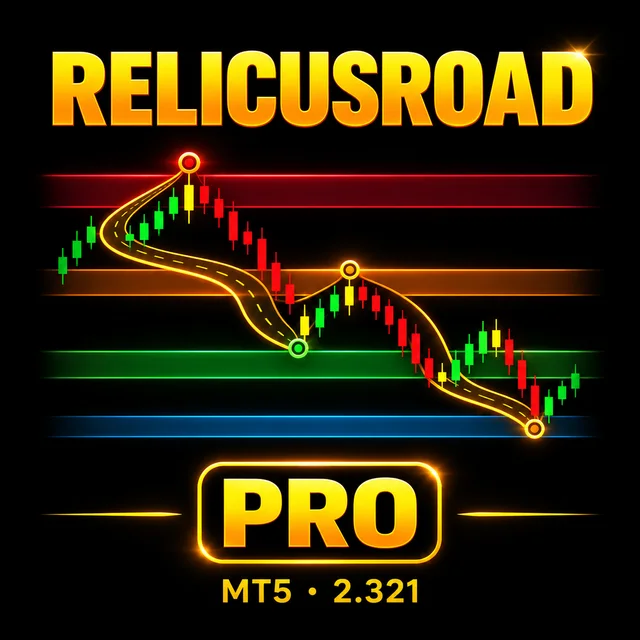
Source code · MQ5 + EX5
Chart levels · Signals · Configurable workspace

Source code · MQ5 + EX5
XAUUSD · 2 embedded models and flexible sizing

Free EA · MQ5 + EX5
RSI entries with two ATR filters, configurable sessions and optional grid management.
Loading…

Stay close to MQLume, wherever you like to learn.
See our EAs in action. Explore backtests, walkthroughs and practical guides.
Watch on YouTubeMeet other EA users, share ideas and keep up with what’s new.
Join the community Follow official updates