Setup & troubleshooting
MoonDog FREE: your first MT5 installation and compile
Claim MoonDog free, place the files in MT5, compile the editable source and discover the controls.
Claim your free package
On the MoonDog product page, choose the free claim button and confirm the items in your cart. Enter your delivery email and complete the free order. An all-free cart needs no card. Use the download button on the confirmation page, extract the ZIP, and keep an unchanged copy. MQ5 is the editable source; EX5 is the compiled program. The included parameter document explains the settings.
Put the files in the right folder
In MT5, choose File → Open Data Folder. Open MQL5 → Experts and create a MQLume folder. Extract the package and copy the EX5 there.
In Navigator, right-click Expert Advisors and choose Refresh. The EX5 is already compiled; no MetaEditor step is needed.
Compile the source, if you want to explore it
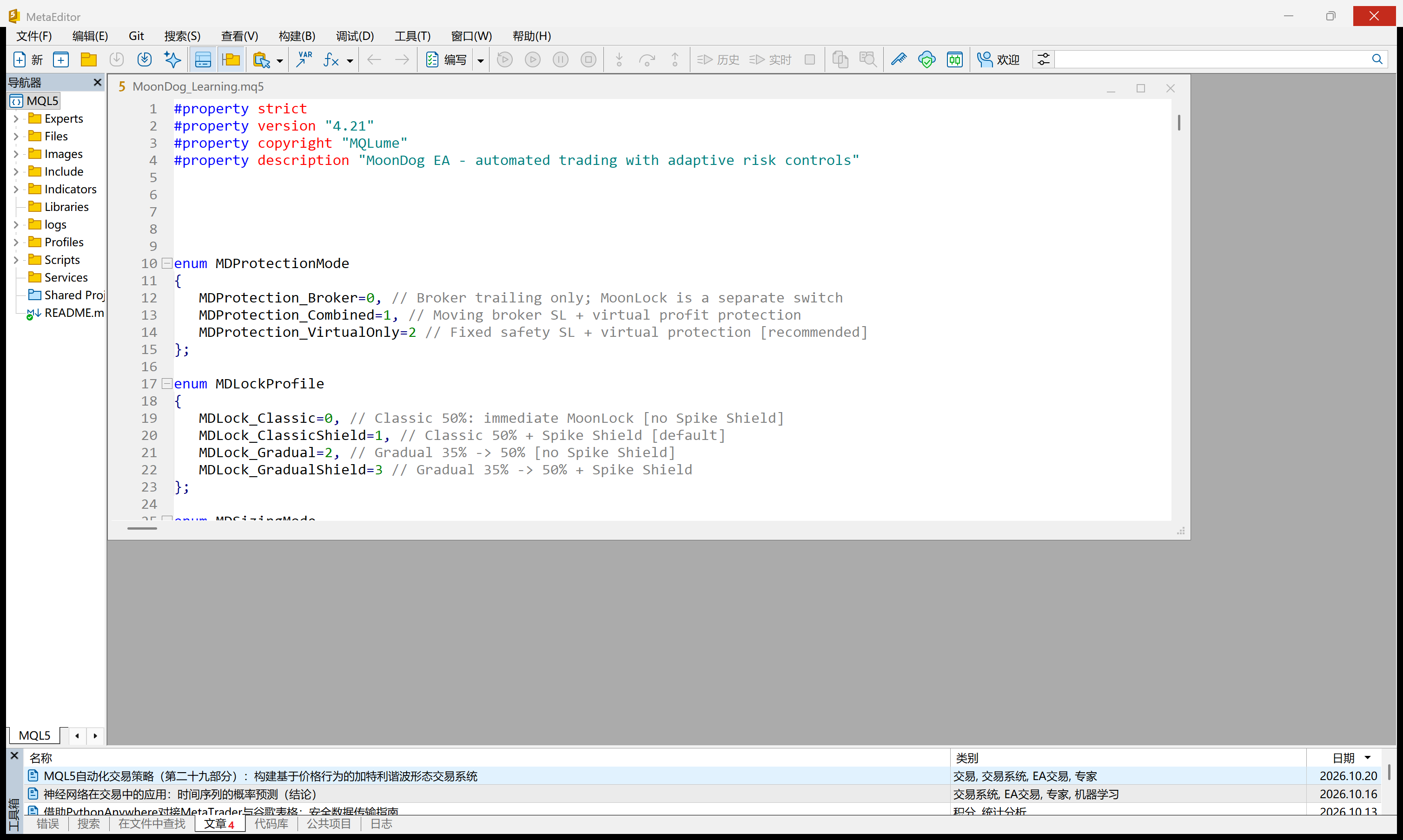
For the source route, place the MQ5 beside the EX5 in MQL5/Experts/MQLume. Press F4 from your MT5 terminal to open its MetaEditor. Open the MQ5, then choose Compile or press F7. Read the Errors panel: a successful build produces an EX5 with the same base name. If compilation fails, double-click the first error to find its location. Keep the original and ask an AI assistant to explain that specific message before changing anything. The supplied EX5 can be used without this compilation step.
Meet the controls and make one small change
Navigator lists your EAs; Strategy Tester runs a historical simulation; Inputs contains configurable settings; Experts and Journal show messages. Changing an input does not require compiling source again. For a first exercise, compare one documented input in the tester and observe what changes. The Algo Trading button controls automated trading in the terminal; it is not needed simply to read or compile code. This tutorial does not place a live trade. You now have a practical starting point for understanding the strategy and planning your own customisation.
MetaQuotes: folders · MetaQuotes: MetaEditor
Back to top